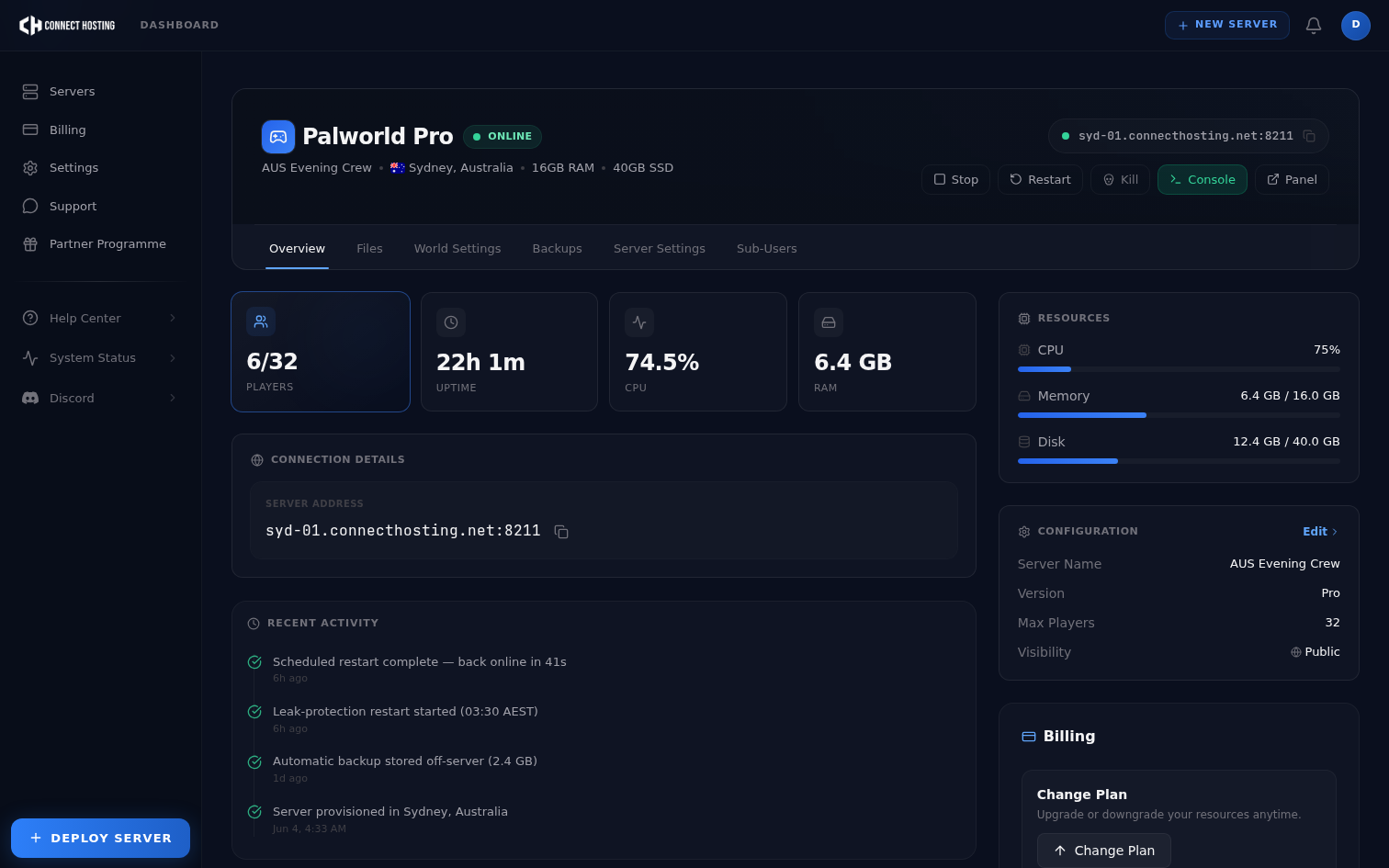
The short answer: Pocketpair's own recommendation for a dedicated server is 16GB of RAM. The longer answer depends on three things — how many players you host, how built-up your world is, and how you deal with Palworld's memory leak. Here's the practical breakdown, updated for 1.0.
Palworld dedicated server requirements at a glance
Before the RAM detail, here's the complete spec for running a Palworld dedicated server in 1.0:
| Requirement | Minimum | Recommended |
|---|
| RAM | 8GB (risks out-of-memory crashes) | 16GB — Pocketpair's official figure |
| CPU | 4 cores | 4+ cores with high single-thread clock speed |
| Storage | 20GB+ | 20GB+ on SSD or NVMe |
| OS | Windows or Linux | Linux for lower overhead |
| Network port | UDP 8211 (game) | UDP 8211 + 25575 for RCON |
| Steam App ID | 2394010 | — |
| Max players | — | 32 (hard engine cap) |
| GPU | None | None — the server is headless |
Two of these are worth expanding, because they're where most self-hosted servers go wrong.
Storage speed is not optional. Pocketpair explicitly ties slow storage to save-data corruption, not just slow loading. A Palworld server writes its world state constantly, and a mechanical drive or a throttled cloud volume can corrupt a save outright. NVMe or SSD, always.
Cores matter less than clock speed. Palworld asks for four cores but only meaningfully uses a couple of them. A 4-core CPU at high clock will comfortably out-perform a 16-core server CPU with slow cores. When you compare hosts, the per-core clock speed tells you far more than the core count does.
The baseline numbers
| Server | RAM | Realistic use |
|---|
| Minimum | 8GB | A handful of friends, a young world, scheduled restarts |
| Recommended | 16GB | Pocketpair's official recommendation — comfortable for most groups |
| Heavy | 24GB+ | Long-running 32-player worlds with big bases and breeding programs |
Pocketpair suggests going past 32GB for unusually large servers, but in practice that's rarely the constraint — restarts are (see below).
Why "enough RAM" isn't a fixed number
A Palworld server's memory use isn't static. Three forces push it up over time:
1. World complexity. Every base, every assigned Pal, every storage chest full of items is state the server keeps hot. 1.0's endgame content makes worlds grow faster than early access did.
2. Player count. More concurrent players means more loaded areas of the map at once. A 32-player Saturday night session can load a multiple of what a 4-player weeknight does.
3. The memory leak. This is the one that surprises people. Palworld servers slowly accumulate RAM the longer they run — even in 1.0, even on oversized hardware. A server that idles at 6GB after a restart can be holding 12GB+ a few days later without anything changing in the world. We wrote up what actually works against the leak, but the headline is: schedule a daily restart. Headroom delays the problem; restarts solve it.
This is why buying more RAM is the wrong first move. A 24GB server without restarts will still degrade — it just takes longer to get there. A 16GB server on a daily restart schedule stays flat indefinitely.
Matching RAM to your group
- 2–8 players, casual world: 8GB is genuinely fine if the server restarts daily. Without restarts, you'll feel it within the week.
- 8–20 players, established world: 16GB. This is the sweet spot and the official recommendation for a reason.
- 20–32 players, endgame bases, breeding farms: 24GB. At this scale you want the extra headroom so the between-restart drift never touches your peak hours.
What about bandwidth and CPU under load?
Palworld is not a bandwidth-heavy game — a full 32-player server sits comfortably inside a normal connection, and it's almost never the bottleneck on a hosted server. What does bite is CPU during base-heavy scenes: large bases with many working Pals push single-thread load hard, and that shows up as server-side stutter rather than lag for a specific player. If your world is stuttering for everyone at once, that's a CPU signal, not a RAM or network one.
One pricing note while you compare hosts: many providers price Palworld per player slot, so the RAM question gets tangled up with a seat-count bill. We price by resources only — every Palworld server hosting plan includes all 32 slots (8GB, 16GB, or 24GB), so you pick by world size, never by how many friends you have.
What we run
Our Palworld plans map directly onto the table above: Starter (8GB) for small groups, Pro (16GB — the Pocketpair recommendation) for most communities, Beast (24GB) for packed long-running worlds. All three get NVMe storage, automatic 1.0 updates, and a daily leak-protection restart scheduled in your region's quiet hours.
Frequently Asked Questions
How much RAM does a Palworld server need?
Pocketpair officially recommends 16GB for a dedicated server. 8GB will run a small group if you restart the server daily, and 24GB+ suits long-running 32-player worlds with large bases.
What are the minimum requirements for a Palworld dedicated server?
4 CPU cores, 8GB of RAM, 20GB of SSD or NVMe storage, and UDP port 8211 open. 16GB of RAM is the recommended figure rather than the minimum.
Does a Palworld dedicated server need a GPU?
No. The dedicated server is headless and does no rendering, so a GPU makes no difference to performance.
What port does a Palworld server use?
UDP 8211 by default for game traffic, plus port 25575 if you have RCON enabled for remote administration.
Why does my Palworld server keep running out of memory?
Almost always the memory leak rather than genuinely insufficient RAM. Palworld servers accumulate memory over uptime — schedule a daily restart before adding more RAM.
Is 8GB enough for a Palworld server?
For a handful of players on a young world, yes — provided you restart daily. Pocketpair notes that 8GB raises the risk of out-of-memory crashes, so it's the floor rather than a comfortable target. If your server is dying outright rather than just slowing down, work through the start failures in order — an OOM kill leaves nothing in the logs that looks like a crash.
Need the RAM without running the box yourself? Compare Palworld server hosting plans — 8GB, 16GB and 24GB, all 32 slots included, with automated daily restarts that stay ahead of the memory leak.
Need the RAM without running the box yourself? Compare Palworld server hosting plans — 8GB, 16GB and 24GB, all 32 slots included, with automated daily restarts that stay ahead of the memory leak.
Hosting for an Aussie or Kiwi group? The same plans run from Sydney — see Palworld server hosting in Australia.