Palworld 1.0 dedicated server hosting guide
Tutorials

Palworld Dedicated Server Hosting: The Complete Guide (2026)

The complete, current guide to running a Palworld 1.0 dedicated server — requirements, ports, PalWorldSettings.ini, crossplay, save migration and the memory leak, with real numbers and copy-paste config.

July 12, 20269 min read
Share

On This Page

A Palworld dedicated server needs about 16GB of RAM for most groups, a CPU with strong single-thread performance, UDP port 8211 open, and a scheduled daily restart to stay ahead of the memory leak. Everything else — config, crossplay, moving a save across, mods — is detail on top of those four things. This is the complete, current (1.0, 2026) guide to all of it, with real numbers and copy-paste config.

We run a fleet of Palworld servers, so this is written from what actually breaks in production, not a spec sheet.

What is a Palworld dedicated server, and why run one?

A dedicated server is a Palworld world that runs 24/7 on its own machine, independent of any player's game client. Unlike hosting a co-op session from inside the game (capped at 4 players and only online when you are), a dedicated server:

  • Stays up when you log off, so progress and base automation continue.
  • Supports the full 32 players — the game's hard cap.
  • Is joinable by anyone you allow, across platforms, without your PC acting as host.

The trade-off is that you now own a small piece of server administration: RAM sizing, config, restarts, updates. This guide covers each piece, and links to a deeper post on every one.

What are the Palworld dedicated server requirements?

Pocketpair's commonly-cited recommendation is 16GB of RAM, and the game uses only a couple of CPU cores — but it strongly favours high single-thread clock speed over core count. In practice:

Group sizeRAMNotes
2–8 players, young world8GBFine with a daily restart; painful without one
8–16 players, established world16GBThe sweet spot, and Pocketpair's recommendation
20–32 players, big bases + breeding24GB+Headroom so the memory leak never touches peak hours

Disk: budget 20GB+ on SSD/NVMe — saves grow with your bases. The real performance bottleneck usually isn't player count; it's base count, working-Pal count and breeding farms (AI and pathfinding load), plus the memory leak climbing regardless of who's online.

For the full breakdown per player count, see how much RAM a Palworld server needs.

Which ports does a Palworld server use?

Only one port is mandatory. The rest are optional and should stay closed unless you use them.

PortProtocolPurposeOpen it?
8211UDPGame traffic — players connect hereAlways (the only required forward)
27015UDPSteam query / server-list visibilityIf you want Steam-list visibility
25575TCPRCON (remote console)Only if you use RCON — never to the public internet
8212TCPREST APIOnly if you use it — never to the public internet

If you self-host, forward 8211/UDP on your router. Never expose RCON (25575) or the REST API (8212) to 0.0.0.0 or the open internet — an exposed admin port is a direct route to someone taking over your server. On managed hosting this is handled for you; the game port is allocated and the admin ports stay internal.

How do you configure a Palworld server?

All gameplay rules live in one file, PalWorldSettings.ini, on Linux at:

Pal/Saved/Config/LinuxServer/PalWorldSettings.ini

The quirk that trips everyone up: every setting sits on one long line inside a single OptionSettings=(...) block. A stray newline voids the whole line.

[/Script/Pal.PalGameWorldSettings] OptionSettings=(Difficulty=None,ExpRate=1.000000,PalCaptureRate=1.000000,DeathPenalty=All,bEnableInvaderEnemy=True,ServerPlayerMaxNum=32)

Raising the player cap is the one edit most people miss: the default ServerPlayerMaxNum is 4, so set it to 32 for a dedicated server. For copy-paste presets by playstyle (casual, balanced, hardcore, PvP) and the reasons your edits sometimes don't stick, see the best PalWorldSettings.ini config guide and why Palworld server settings won't save.

On our panel you never touch this file by hand — you set sliders and toggles, and a config parser writes a valid single-line ini for you.

How do you set up crossplay for Xbox, PS5, Game Pass and Steam?

Palworld supports full crossplay — Steam PC, Xbox (including PC Game Pass), PS5 and Mac — on one dedicated server. The catch that strands most console players: consoles cannot type an IP address. They can only join through the in-game community server browser, which means your server has to be published to that list with the -publiclobby startup flag.

PalServer-Linux-Shipping ... -publiclobby

PC and Mac players can join by direct IP or the browser; Xbox/PS5 players can only use the browser. A freshly-started server can take 5–10 minutes to appear, so don't panic and rebuild. Full walkthrough: Palworld crossplay dedicated server setup.

How do you move a co-op world to a dedicated server?

You can bring an existing co-op or single-player world onto a dedicated server, but there's one step that makes or breaks it: the host player's save GUID has to be remapped. Copy the world into Pal/Saved/SaveGames/0/<WorldID>/, point the server at it, and use the community host-save-fix tool to remap the host from the local ...0001 GUID to their new server GUID — otherwise the host loads in as a brand-new level-1 character.

There's also a save-file gotcha that connects to the config section above: a leftover WorldOption.sav overrides your ini entirely, so your settings appear to be ignored. Delete it after import. The complete, tested procedure is in move your co-op world to a dedicated server.

Why does a Palworld server slow down the longer it runs?

Because the dedicated server has a memory leak that survived into 1.0. RAM climbs steadily over uptime until players feel it — rubber-banding first, then lag spikes, then an out-of-memory crash. Unmitigated servers often die within about a week.

More RAM only delays the crash; it doesn't fix the leak. The two things that genuinely work are a clean daily restart (with the world saved first) and setting bEnableInvaderEnemy=False, which operators report roughly halves the growth rate. The full write-up is in the Palworld memory leak, what actually works. Every server we run gets one automatic daily restart in your region's quiet hours, world saved first — so you never see the leak.

Can you install mods on a Palworld dedicated server?

Honestly: less than the mod pages suggest. There's no Steam Workshop and most Palworld mods are client-only — they change what one player sees and do nothing server-side. The server-side modding stack (UE4SS, and PalSchema on top of it) is effectively Windows-only, and since 1.0 most hosts run the Linux server binary, where those loaders don't run natively. We cover exactly what does and doesn't work — and why mods break on every update — in which Palworld mods actually work on a server.

Should you self-host or use managed hosting?

Self-hosting is genuinely fine for 2–3 friends playing occasionally on a spare machine. Beyond that, the maths tilts fast: a PC running 24/7 costs real money in UK electricity, your home IP is exposed to everyone who connects, and you personally own port forwarding, updates, the GUID save dance, and restarting after the leak crashes it at 2am.

Managed hosting trades a few pounds a month for someone else owning all of that. We break the real costs down — electricity, time, security — in Palworld server hosting vs self-hosting.

If you'd rather skip the admin entirely, our Palworld server hosting runs 1.0 from day one with the daily leak-protection restart already built in.

How much does Palworld server hosting cost?

Market pricing runs roughly $7–$47/month, and the number that inflates it is player slots — a lot of hosts (Nitrado, GPORTAL, Shockbyte, Host Havoc) charge more the more players you want, so a 32-slot server costs far more than a 10-slot one. On Nitrado, jumping from 10 to 32 slots roughly doubles the price.

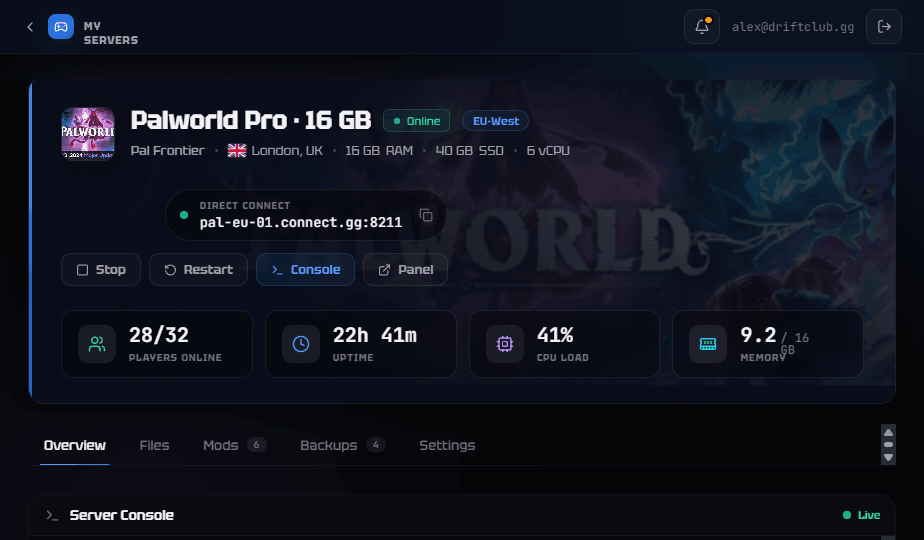
Our plans include all 32 slots on every tier — you pick by world size, never by seat count:

PlanRAMCPUDiskBackupsFrom (USD)
Starter8GB3 vCPU25GB2$12.99/mo
Pro16GB4.5 vCPU40GB3$21.99/mo
Beast24GB6 vCPU60GB5$31.99/mo

For a full host-by-host comparison and what "per-slot" pricing really costs, see the best Palworld server hosting in 2026.

Frequently Asked Questions

How many players can a Palworld dedicated server hold?

32 — that's the game's hard cap, not a host limit. If a host advertises "up to 32," they mean the maximum Palworld itself allows. Where servers actually struggle first is base and breeding-farm load, not raw player count. Every one of our plans includes all 32 slots.

Do I need a dedicated server for crossplay?

For a persistent server that Xbox, PS5 and Steam players share, yes. Consoles join only through the in-game community browser, so the server must be published there with -publiclobby. See our crossplay setup guide.

How much RAM does a Palworld server really need?

8GB for a handful of friends with a daily restart, 16GB for most groups (Pocketpair's recommendation), 24GB for packed 32-player worlds. More important than the number is scheduling a restart, because of the memory leak. Full detail: how much RAM a Palworld server needs.

Why does my Palworld server get laggy after a few days?

The dedicated-server memory leak. RAM creeps up over uptime until you get rubber-banding and eventually a crash. A daily restart resets it; bEnableInvaderEnemy=False slows it. Details in the memory leak guide.

Can I move my single-player world to a dedicated server?

Yes, but you must remap the host's save GUID or you'll load in as a new character, and delete WorldOption.sav so your settings apply. Step-by-step: move your co-op world to a dedicated server.


Ready to skip the setup? Configure a Palworld server — 1.0 from day one, all 32 slots, daily leak-protection restarts, live in under 60 seconds.

Skip the setup headache

Get a server running in under 60 seconds.

Configure Server

Related Help Articles

Need step-by-step instructions? Check out these guides in our Help Center.