7 Days to Die V3.4.0 · PC, PS5 and Xbox Series X|S

7 Days to Die Server Hosting
That Survives Every Update

Your settings live in a file Steam never overwrites. The version your overhaul needs is a pick on the dashboard. And you get up to 8 players with console crossplay, checked every time you save.

Six stable updates since 29 June 2026

  1. V3.029 Jun
  2. V3.0.113 Jul
  3. V3.1.027 Jul
  4. V3.2.026 Aug
  5. V3.3.05 Oct
  6. V3.4.026 Oct

None of them writes to serverconfig.connect.xml, the file a Connect server reads its settings from. It is not part of the game download.

From$9.99/mo· 8 player slots on every plan

  • Console crossplay on by default
  • DDoS protection
  • Dedicated RAM, NVMe storage
  • Backups included

Three plans. 8 player slots on every one.

Our test server used about 2 GB idle on Navezgane. What grows it is the world and the horde, so RAM buys room for bigger worlds, more zombies and overhaul mods — never more seats. Every plan keeps all 8 slots, the crossplay maximum.

  • Scout

    A vanilla group on Navezgane or a pregenerated map.

    6 GBRAM · 40 GB NVMe

    Three times the 2 GB our test server used idle on Navezgane.

    300% CPU · 3 backups

    8 slots
    $9.99/mo
    Choose Scout
  • Outpost

    Recommended

    Headroom for bigger generated worlds and higher zombie counts.

    10 GBRAM · 60 GB NVMe

    Headroom, not a measurement: nobody publishes RAM figures by world size.

    400% CPU · 4 backups

    8 slots
    $14.99/mo
    Choose Outpost
  • Fortress

    The most room for an overhaul mod on a pinned version.

    16 GBRAM · 80 GB NVMe

    For overhauls, which load their own content on top of the game.

    500% CPU · 5 backups

    8 slots
    $22.99/mo
    Choose Fortress

Save 10% on quarterly and 20% on yearly terms. Cancel anytime. PayPal and card accepted.

Change plan any time and your world comes with you. 72-hour money-back guarantee.

4.3 / 5 · Rated Excellent on Trustpilot from 78 reviews

Built for the update treadmill

Three things an update can’t break

6 stable releases between 29 June and 26 October 2026, and V3.0 changed how server settings work. The Fun Pimps told server admins they “may need to work with your specific provider”. This is that work, done before you arrive.

01 · Settings

Your settings survive every update

The game ships serverconfig.xml, so Steam manages that file with every update. Your server never reads it. On its first start it makes its own copy, serverconfig.connect.xml, and runs from that — a file that is not part of the game download, so no update writes to it.

  • The Server Settings tab edits the copy the game actually reads.
  • A Sandbox code field for V3, and none of the 30 settings V3 retired.
  • A setting an update adds uses the game’s default until you set it.
“With the addition of over 150 Sandbox Options, some of the legacy options previously set in serverconfig.xml have been moved to a new SandboxCode XML property.”
The Fun Pimps, V3.0 “Dead Hot Summer” release notes, 12 June 2026
Update V3.4.0Settings kept
  • The game’s default settingsReplaced by the update
  • Your settingsNot touched
Server name
Horde Night Crew
Password
Set
Sandbox code
Your own rules
Console crossplay
On

02 · Version

Pin the version your overhaul needs

Overhaul mods are built for one game version, and the game moves every few weeks. Stop the server, pick Latest, V3.3.0, V2.6, V1.4 or Alpha 21.2 on the dashboard, start it, and the server holds that version through every update. Each version keeps its own world and settings, so switching back finds your save exactly as you left it.

  • V2.6 for overhauls built on V2, such as Undead Legacy.
  • V1.4 for overhauls built on V1, such as Darkness Falls and Ravenhearst — check your mod’s page for the exact version.
  • Friends on PC select the same branch before they join.
“If you’re playing on a dedicated server and can’t connect yet, you will need to select the correct branch”
The Fun Pimps, V3.1.0 stable announcement, 27 July 2026
Game versionPinned: V2.6
  • Latest stable (V3.x)Console crossplay
  • V3.3.0Previous stable
  • V2.6Undead Legacy
  • V1.4Darkness Falls, Ravenhearst
  • Alpha 21.2Classic A21 packs

Your Latest world and settings wait here until you switch back.

03 · Console crossplay

Console crossplay, checked for you

PS5 and Xbox Series X|S friends can join from the first start: crossplay is on by default, and every plan seats up to 8 players with console crossplay. When a setting breaks crossplay, the game does not stop. It starts anyway and switches crossplay off for that session, and console players simply cannot find the server.

  • The Settings tab refuses a save that would switch crossplay off, and says why.
  • The dashboard shows the game’s own crossplay verdict from the last start.
  • The rules: EasyAntiCheat on, EOS sanctions respected, no more than 8 player slots.
“Dedicated server and LAN server browsers for PS5 and Xbox”
The Fun Pimps, V2.0 patch notes, 27 June 2025
Console crossplayOn

PS5 and Xbox Series X|S players can find and join this server (up to 8 players).

Checked at the last start · V3.4.0

If you switch EasyAntiCheat off

Save refused. Console crossplay would be switched off by the game at the next start: EasyAntiCheat must be on. Fix those, or turn "Allow PS5 and Xbox players" off.

7 Days to Die dedicated server hosting that keeps your world as you left it

The Linux dedicated server from Steam, with the settings, the version and the crossplay check on one dashboard tab.

V3.4.0 latest stableReleased 26 October 2026. Or pin the version your mod needs.
  • Settings that survive updates

    Your server reads serverconfig.connect.xml, its own copy, never the game’s serverconfig.xml. The copy is not part of the game download, so no update writes to it.

  • A Settings tab written for V3

    A Sandbox code field for difficulty, blood moons, loot and the rest, and none of the 30 settings V3.0 retired — so nothing on the tab is a control the game no longer reads.

  • Pin a version from the dashboard

    Latest, V3.3.0, V2.6, V1.4 or Alpha 21.2. Stop the server, pick the version, start it, and the server downloads it and holds it through every update.

  • One world per version

    Each version keeps its own world and settings. V2.6 will not start on a V3 settings file, so it is never handed one, and switching back to Latest finds everything as it was.

  • Console crossplay on by default

    PS5 and Xbox Series X|S players can join from the first start, up to 8 players with console crossplay on every plan.

  • Crossplay checked at save

    A setting that would make the game switch crossplay off is refused when you save, with the reason in plain words, instead of failing quietly at the next start.

  • The game’s own verdict

    The dashboard reads the last start’s log and shows whether crossplay actually came up, with the game’s own reasons when it did not.

  • Backups, files and SFTP

    Three to five backup slots by plan, restored with one click, plus the file manager and SFTP for worlds, mods and settings.

  • 7 regions, DDoS protection, NVMe

    Frankfurt, Helsinki, London, Virginia, Dallas, Montreal, Sydney. Dedicated RAM and NVMe storage, on the same network every Connect server runs on.

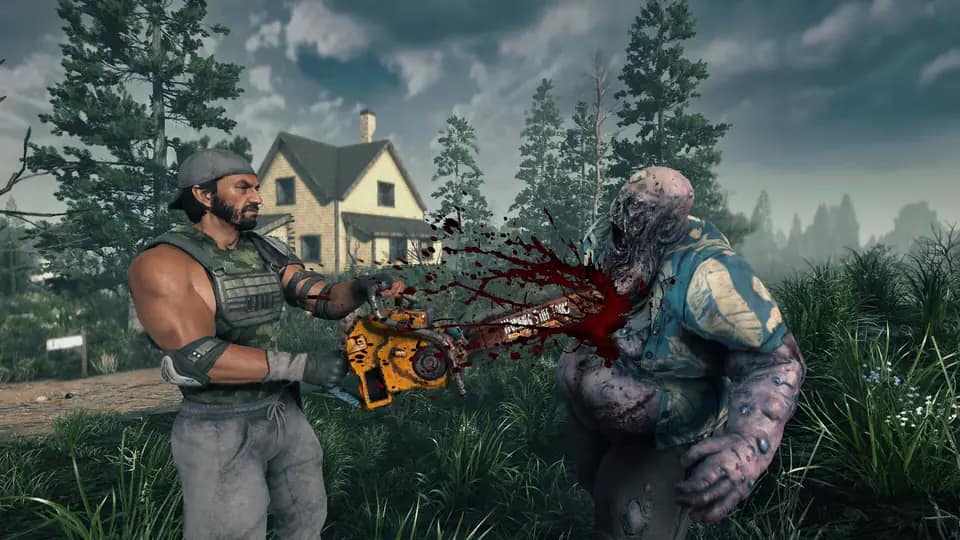
  • A survivor in a flak vest cuts into a bloated zombie with a chainsaw in the long grass outside a farmhouse

    Hold the farmhouse, or lose it

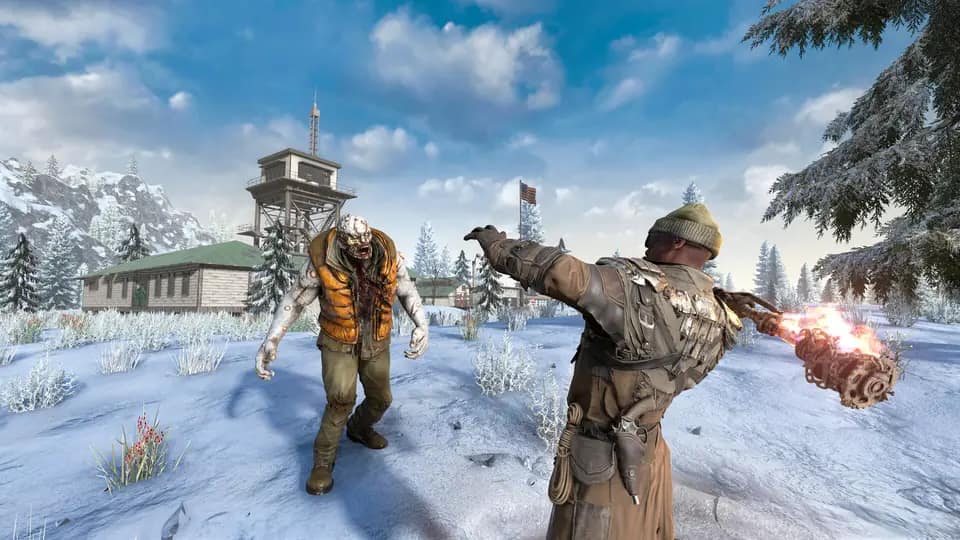
  • A survivor fires a flaming weapon at a zombie crossing the snow below a mountain lookout tower

    Snow, desert, forest and wasteland biomes

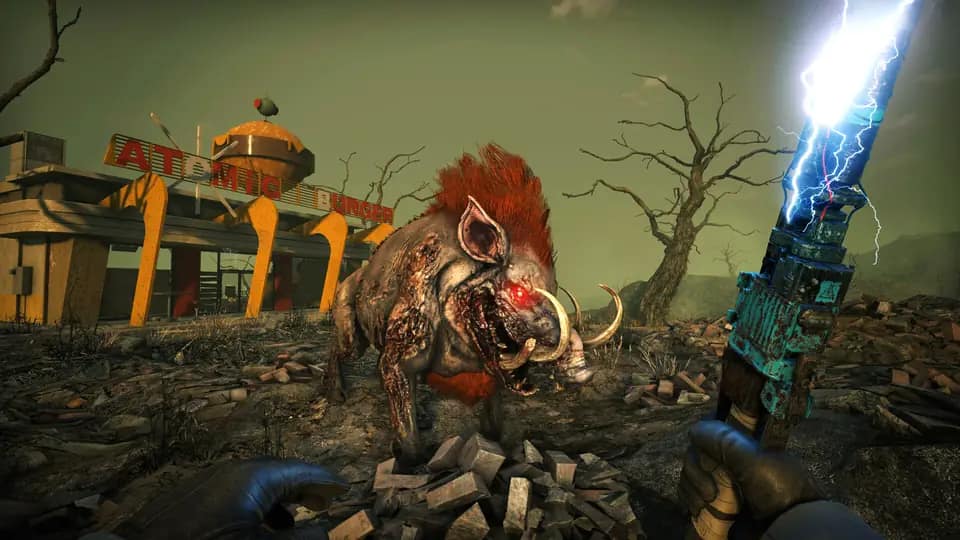
  • A player holding a lightning-charged stun baton faces a mutated boar in the burnt wasteland outside a roadside diner

    Not everything out there walks on two legs

Rent a 7 Days to Die server in four steps

  1. 1

    Pick a plan and a region

    Scout, Outpost or Fortress, in any of our 7 regions. Every plan seats 8 players. Pay with PayPal or card, and name your server at checkout — that is the name players see in the server browser.

  2. 2

    The server installs itself

    Provisioning is automatic: the dedicated server downloads from Steam (about 17.4 GB on disk), crossplay is switched on, and the browser region is set from the region you picked. After that, the server is ready about 70 seconds after it starts.

  3. 3

    Friends find it and join

    PC, PS5 and Xbox Series X|S players find your server by name in the game’s server browser. PC players can also join by the IP and port on your Overview tab.

  4. 4

    Updates install on restart — or not

    On Latest the server takes each new stable on its next restart. To pin a version, stop the server, pick the version and start it; it stays there through every update until you choose Latest again.

Every setting the game reads, on one tab

The Server Settings tab edits serverconfig.connect.xml: identity, crossplay, world, the Sandbox code, PvP, land claims and performance — with the crossplay verdict and the version picker above it.

connecthosting.net/dashboard
Horde Night Crew
7 Days to Die · Frankfurt
5/8 onlineOnline

Console crossplay

On. PS5 and Xbox Series X|S players can find and join this server (up to 8 players).

Server SettingsSave & restart
Server nameHorde Night Crew
VisibilityPublic — listed in the server browser
Allow PS5 and Xbox players
EasyAntiCheat
WorldNavezgane
Save nameSeason One
Sandbox codeAAAJABJACJADJARFBNC
Player killingNo player killing
› [connect] version latest: settings in serverconfig.connect.xml, saves in UserData
› INF Version: V 3.4.0 (b10)
› INF Crossplay: True
› StartGame done
  • Save, then restart

    Settings are written to serverconfig.connect.xml and the game reads them on its next start. Delete that file and the next start makes a fresh one from the game’s defaults.

  • Files and SFTP

    Your worlds, settings and mods are ordinary files on the server. Reach them in the file manager, or connect over SFTP for anything big, such as an overhaul.

  • Backups before anything risky

    Take a backup by hand before a version switch, a new overhaul or a fresh Sandbox code, and restore it with one click if you change your mind.

Global network

Seven Regions, Pick the Closest

The same DDoS-protected stack with dedicated RAM and NVMe in every region.

LondonUnited Kingdom
—
FrankfurtGermany
—
HelsinkiFinland
—
US EastVirginia, US
—
DallasTexas, US
—
MontrealCanada
—
SydneyAustralia
—

7 Days to Die server hosting FAQ

Want the long version? The 7 Days to Die server guides cover setup, the SandboxCode, crossplay, overhaul mods and RAM.

7 Days to Die

Your 7 Days to Die server, exactly as you left it.
Whatever the next update brings.

7 Days to Die server hosting from $9.99/mo. Settings that survive updates, the version your mod needs, up to 8 players with console crossplay, 7 regions.

No setup fee. Cancel anytime. 72-hour money-back guarantee.